
You are preparing a car trip and you are hesitating between three applications open on your screen. ViaMichelin shows one travel time, Google Maps another, and Waze suggests yet another route. Each tool applies its own calculation criteria, and the differences are not trivial. To choose the right route, you need to understand what each application prioritizes in its optimization.
What each GPS application optimizes in its route calculation
Google Maps and Waze belong to the same group, but their calculation logics diverge. Waze leverages real-time community reports (accidents, slowdowns, construction zones) to recalculate the fastest route at the moment. Google Maps relies on a broader historical traffic data set to estimate travel time based on the departure time.
ViaMichelin works differently. Since May 2024, the application directly integrates restaurants, hotels, and tourist sites from the Michelin Guide into the route. When you add a culinary stop or accommodation, ViaMichelin recalculates the travel time and budget in real time. Neither Google Maps nor Waze offers this editorial layer in route calculation.
In practice, you can compare a ViaMichelin route with Google Maps on the same trip to measure the difference between a speed-optimized route and one designed as a travel experience.

Trip cost and fuel prices: ViaMichelin vs. Google Maps
Have you noticed that Google Maps does not display the total cost of a trip? This is one of the application’s blind spots. Google Maps indicates the distance and duration, sometimes notes tolls along the route, but does not quantify the overall expense.
ViaMichelin, on the other hand, details the budget route by route. The application estimates fuel costs based on the type of vehicle entered and adds toll fees. The itemized breakdown of trip costs remains a clear advantage of ViaMichelin for long car journeys.
Waze offers toll calculations on certain routes, but without the same granularity on fuel consumption. For a daily trip of a few dozen kilometers, this difference matters little. For a journey of several hundred kilometers, it changes the choice of route.
How to leverage this difference practically
Launch the same trip on ViaMichelin and Google Maps. On ViaMichelin, enter your vehicle type and fuel. Note the total cost displayed. On Google Maps, record the distance and duration, then compare. If the time difference between the two routes is small but ViaMichelin indicates a cheaper toll route, the choice becomes obvious.
Real-time navigation and alerts: where Waze maintains the advantage
In terms of responsiveness to traffic incidents, Waze remains hard to beat. The community of drivers continuously reports accidents, stopped vehicles, and closed roads. Waze recalculates the route in seconds after a report, something neither Google Maps nor ViaMichelin does with the same speed.
Google Maps is gradually integrating community data, but with a slight delay. ViaMichelin provides traffic information, without reaching the volume of reports that Waze has.
Why does this point matter in the comparison? Because the best route on paper can become the worst if an accident blocks the road thirty minutes after your departure. A route planned on ViaMichelin benefits from being supplemented by Waze navigation for real-time guidance.
CarPlay compatibility and switching between applications
The recent version of ViaMichelin has introduced Apple CarPlay compatibility. You can prepare a detailed route on ViaMichelin (with stops, budget, points of interest) and then display it on your vehicle’s screen. For Android Auto drivers, Google Maps and Waze remain the best-integrated native options.
Preparing on ViaMichelin and navigating with Waze is a combination that many drivers adopt for long trips.
Practical method to compare three routes on the same trip
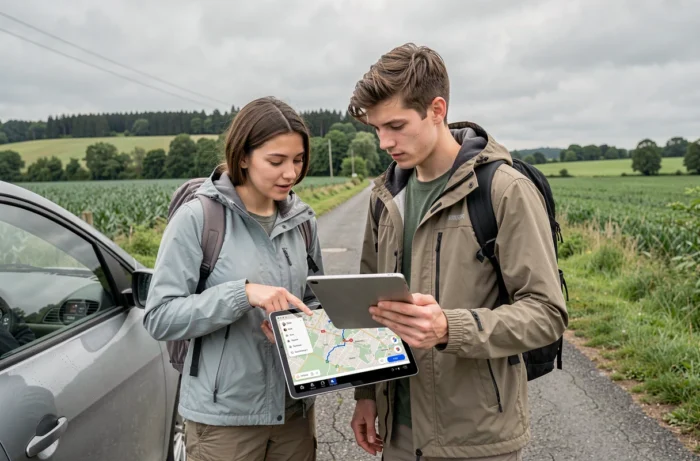
Rather than switching randomly between the three applications, a simple method allows you to extract the best from each. Here are the criteria to note on the same trip:
- Estimated travel time on each application, at the same departure time, to measure the difference related to traffic calculations
- Total trip cost on ViaMichelin (fuel and tolls), compared to the raw distance displayed by Google Maps
- Number of real-time traffic alerts on Waze, to be compared with Google Maps’ forecasts for the same time slot
- Points of interest offered along the route by ViaMichelin (restaurants, accommodations from the Michelin Guide) compared to the more generic suggestions from Google Maps
This framework works for both vacation trips and business travel. The right reflex is to cross-reference the data rather than rely on a single application.
Offline maps: a often overlooked criterion
Google Maps allows you to download maps for offline use. Waze requires a constant connection to function properly, which penalizes it in areas with poor network coverage. ViaMichelin also offers an offline mode, useful for trips in rural areas or abroad without a data plan.
If your route crosses white zones, check the availability of offline mode before you leave. A silent GPS in a mountain pass can quickly turn a trip into an improvisation.
None of these three applications replace the others on all criteria. ViaMichelin excels in budget and travel experience enriched by the Michelin Guide. Waze dominates in responsiveness to incidents. Google Maps offers the best compromise between traffic prediction and offline navigation. The best-prepared trip is the one that combines these three sources before departure.